

What a test is
Most tests start from a stored call; others start from your brief or a description. A test page shows what the test plays and checks:
Personal data is masked before a test is stored or sent to Retell: each real name, number or address becomes one fake value, used consistently across the test. Criteria that point at the brief follow it: edit the line and every test that uses it changes too. A line since removed shows “Brief line changed” and stops the test passing until someone fixes it.
What can be tested
Tests run as text: Retell plays a simulated caller against your agent’s own prompt or flow, with no audio.
SignalMD refuses a test it cannot run and says why: the issue needs audio or timing (phone tests are not built yet), or it has no lane, such as callers hanging up in the first seconds. A run also needs the version’s configuration stored in SignalMD, and an agent with MCP tools cannot be tested, because those tools would reach your real systems during a test.
1. Turn testing on
Testing is off until an admin turns it on. Open Runs under Test in the sidebar, select Settings, and in the Testing panel:- Select Testing off so it reads Testing on.
- Paste a Retell key that can write under Retell write key. It is never shown again.
- Set a Monthly test budget (USD): the most your tests may spend at Retell this month.
- Select Save.
2. Create tests
- From a call
- From an issue
- From calls, the config or a description
Open a call that is evidence for an issue, choose it in Pick an issue and select Test issue. SignalMD builds a test that checks this issue no longer happens on that call.
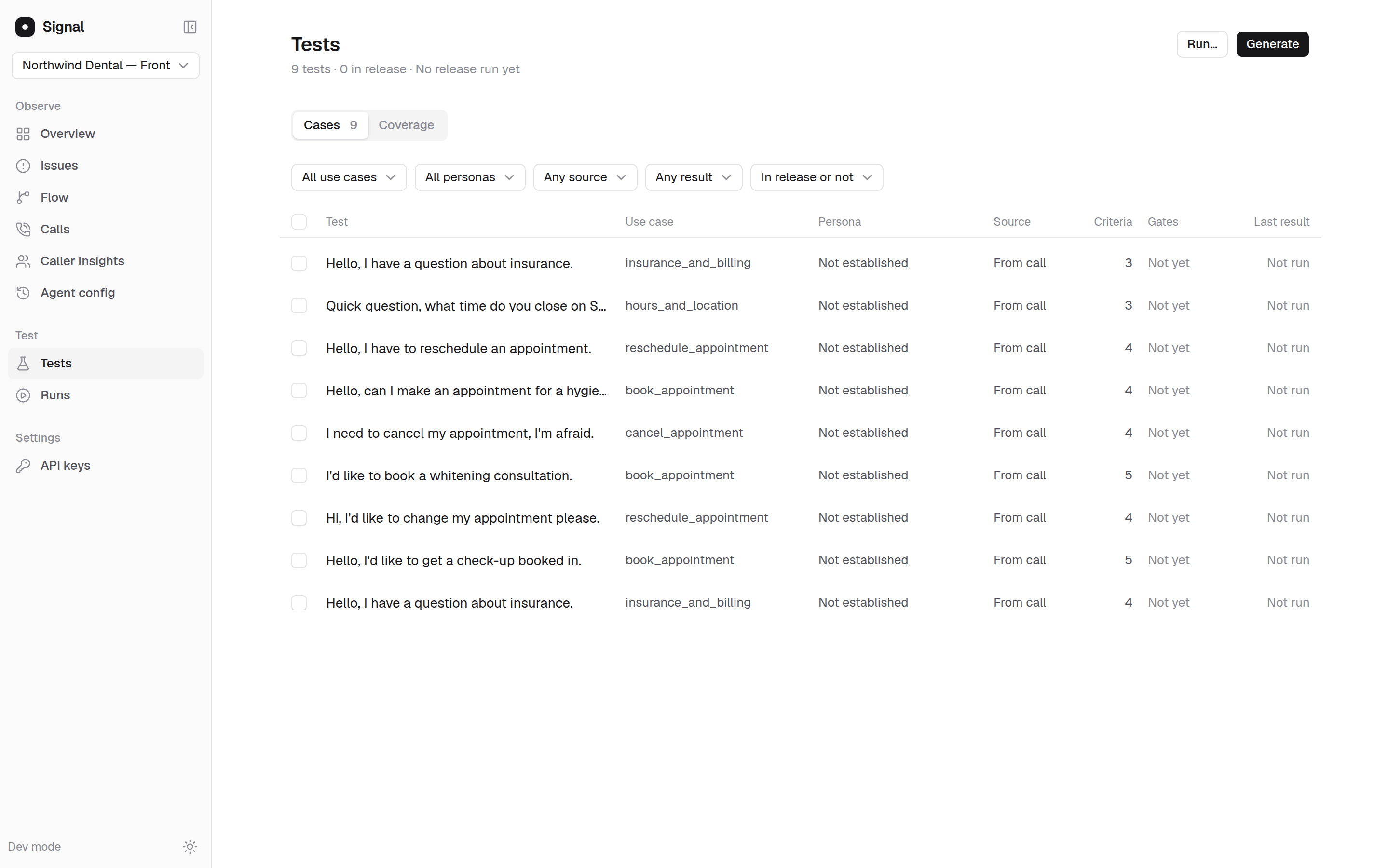
The Tests page of the demo agent, Northwind Dental. New replays show Not yet under Gates until they are calibrated.
3. Run them
On Tests, select Run…, or select tests and Run selected. Choose which tests (Selected, Filtered, Release or Group) and the Agent version, then start the run. The dialog shows the Reserved budget, and View run opens the run. A run targets a version whose configuration SignalMD has stored: the version current when you connected, and each new version SignalMD has seen since. To try a change before it goes live, the copilot can draft it and test it on a copy of your agent; see Build. When SignalMD sees a new version, it runs the release set automatically if this month’s budget covers every test and its possible reruns. If not, the run shows Waiting for approval until someone selects Approve and run. Add tests to the release set with In release on a test or Add to release on a selection.4. Read the results
The run page, such as Run against v12, shows the Pass rate and counts of each result. Change from the previous run compares it with the last completed run on another version that covered the same tests: Fixed, Newly broken, Still failing and Still passing. Select a row under Results by test case and persona for each criterion’s verdict, the transcript and Retell’s explanation.
A pass means your agent handled that caller, on that path, with those tool responses, and nothing more.
After every run, auto-improve checks whether the result was about your agent or about the test, and fixes the test when the test was at fault.
When a test counts toward a release
The Gates column on Tests says whether a test’s result counts: Yes, Not yet or Never. A replay gates only once it has been calibrated, which plays it three times:- A test of an issue that does not reliably fail on the version its source call ran on is marked Does not reproduce: a test that passes on the broken version tests nothing.
- A test of a path that worked that does not reliably pass on the version in production is marked Unstable.
What a run costs
Each test in a run is one simulated call that Retell runs on your account, through your write key, and bills to you. Before a run starts, SignalMD shows its estimated cost and reserves it against the monthly budget, counting possible reruns. A run the budget cannot cover is refused or waits for approval. SignalMD’s own checking of the results is not charged to your Retell budget. Simulated tests also draw on your plan’s monthly credits; see Pricing.Tests and version comparisons
Tests answer before callers meet the change, for three lanes. A version comparison answers after it ships, for every real caller and every lane. A test can pass while production does not move, if the calls you tested were not the ones that mattered, so read both before you mark an issue Resolved. From a pipeline, the API can create tests, start runs and read results: see Start a run.Next steps
Compare versions
Read what production did after the change.
Fix an issue
From an issue on the board to a shipped change.